

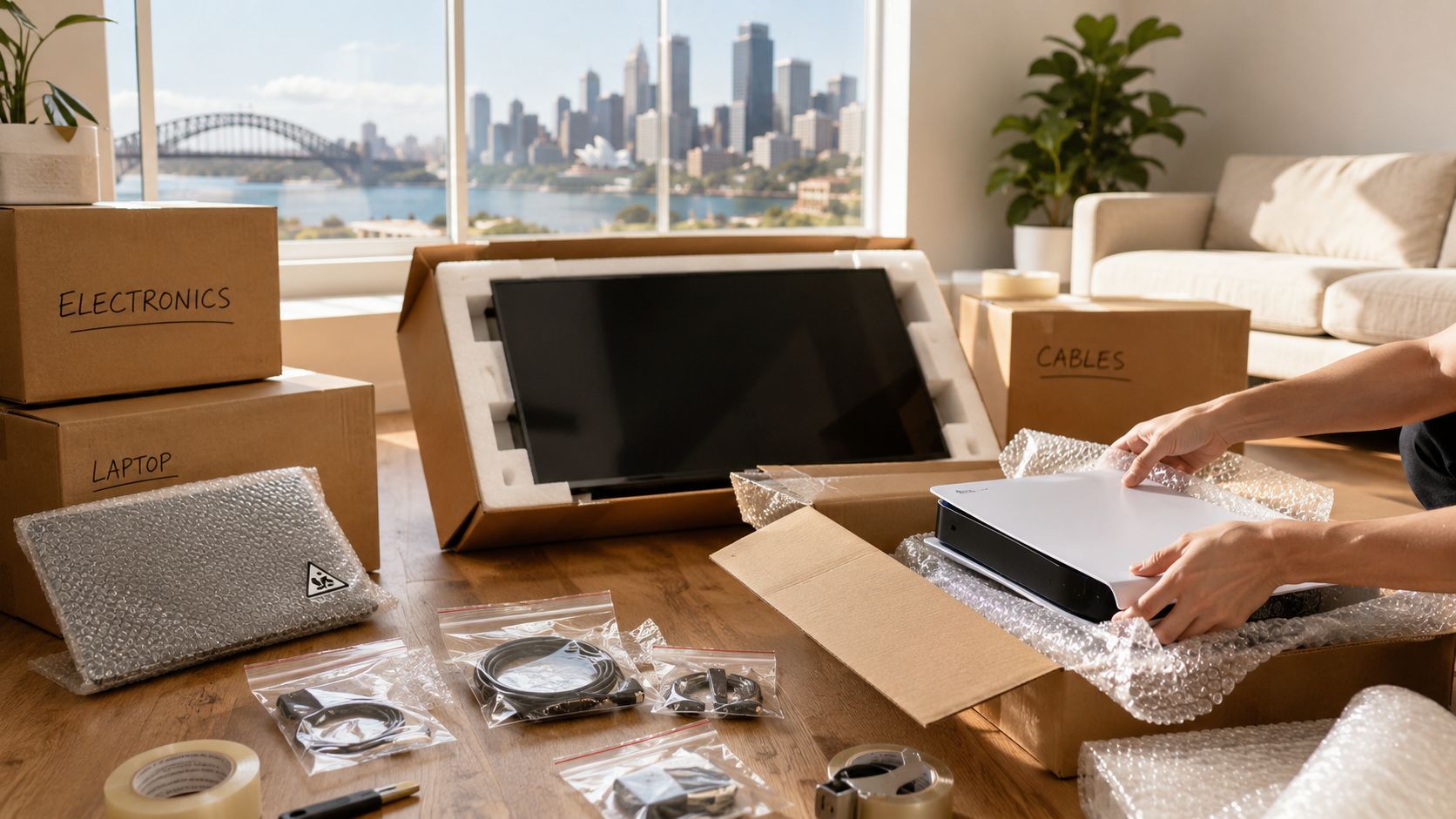
Moving day in Sydney is busy enough without discovering that the television has a cracked panel, the gaming console won't start, or the office desktop has lost access to essential files. Electronics need more than a loose layer of bubble wrap and a roomy carton. They combine glass, circuit boards, connectors, batteries and irreplaceable data, so the packing method has to control impact, vibration, static and movement.
This practical guide explains how to pack electronics for moving across Sydney, NSW or interstate. It covers materials, preparation, device-specific methods, business data security, road freight risks and the setup details that are often missed after the truck arrives.
Why Electronics Need Specialised Packing Care
A television can look perfectly secure inside a box and still arrive damaged. A screen may crack when a carton is set down awkwardly, while a desktop can suffer from vibration that loosens an internal connector without leaving an obvious mark on the case. A laptop may survive an impact but fail later because its storage device or charging port was stressed during transport.

Furniture removals Sydney teams can usually protect a timber table with blankets and straps. Electronics require a more controlled system because three different hazards can occur at once.
Impact, vibration and static
Impact is the easiest risk to understand. Screens, optical drives and projecting surfaces can break when a box is dropped or pressed by heavier goods. Rigid cartons, foam corners and a close fit reduce the chance that force reaches the most fragile part.
Vibration is less visible but particularly important on road freight. Sustained movement can work connectors loose and place stress on circuit cards that aren't firmly supported. Shell Australia's freight specification says equipment with circuit cards that aren't physically locked in place, or heavy cards that may damage connectors through vibration, should have those cards removed before shipping, individually wrapped and placed in suitable containers. That guidance supports a simple rule for interstate removals: immobilise the device and remove vulnerable internal modules where feasible. (Australian electronics packing guidance for road freight)
Electrostatic discharge presents a separate problem. Ordinary bubble wrap cushions an item, but it isn't a substitute for anti-static packaging around circuit boards and other sensitive components. Australian freight guidance from Aurizon requires electronic goods to be packaged in anti-static packaging for transport. (Australian freight advice on anti-static packaging)
Australia's e-waste figures show why prevention matters. The federal government recorded 511,000 tonnes of e-waste in 2019, with the average Australian producing 20 kg, compared with a global average of 7 kg. Its projection indicated national e-waste could reach 657,000 tonnes by 2030, nearly 30% higher than the 2019 figure. (Australian federal e-waste evidence report) Careful packing gives usable televisions, computers and phones a better chance of reaching the next home or office in working condition. For broader packing support, the packing and wrapping Perth service also illustrates the value of using a dedicated method for fragile household goods rather than treating electronics like ordinary cartons.
Essential Packing Materials Checklist
The safest kit combines static protection, rigid support and movement control. Buy or request the materials before packing starts, because improvising with thin grocery cartons or loose towels usually leaves gaps that allow devices to shift.

Build the kit around the device
- Anti-static bags or wrap: Use these for laptops, consoles, routers, graphics cards, circuit boards and other exposed electronic components. Anti-static material addresses electrostatic discharge, which ordinary bubble wrap doesn't.
- Rigid double-walled cartons: Choose a box that fits closely around the item without pressing against its screen. A heavy-duty carton gives the outer shell more resistance to compression during loading.
- Foam corners and dense foam sheets: These keep a television or monitor away from the carton walls, with extra protection at the corners where impact concentrates.
- Packing paper: Crumpled paper is useful for filling controlled voids around a wrapped device. It shouldn't replace a rigid buffer or be packed so loosely that the item can move.
- Cable ties and labelled zip-lock bags: Keep each device's leads, remote, stand screws, adapters and small accessories together. Label the bag with the room and device name.
- Quality packing tape and labels: Seal every carton fully and mark its orientation, contents and fragile status. Arrows are useful for televisions and monitors that must remain upright.
Original packaging is still valuable when it has its shaped inserts and hasn't deteriorated. If you no longer have it, create a snug substitute with foam and a rigid carton rather than choosing a large box and filling it with random soft items.
Practical rule: Bubble wrap is a cushioning layer, not a complete electronics protection system. Put anti-static material closest to sensitive components, then prevent movement with fitted foam or a rigid buffer.
Professional Home Removals Sydney packing teams may supply purpose-built television cartons, bubble wrap, tape, furniture pads and other protective materials. Ask what can be included when requesting a quote, particularly if you have large screens, office equipment or several computer workstations. The electronics packing materials guide can help you identify what to organise before the removalists arrive.
Preparing Your Devices Before Packing
Preparation should happen before the first cable is pulled. Start with a backup, then make the equipment safe to disconnect, easy to identify and unable to move inside its packaging.
Protect the information first
Copy important photographs, documents and business files to cloud storage or an external drive. For a business move, keep the backup separate from the packed cartons and restrict access to authorised staff. A replacement laptop is inconvenient. Lost client records, accounting files or project documents may be impossible to recreate.
Sign out of accounts on devices that are being transferred, especially shared office computers, tablets and smart-home equipment. Remove USB drives, memory cards, discs and other detachable media, then store them in a labelled pouch rather than leaving them in their ports or drives.
Create a reconnection record
Photograph the rear of each television, desktop, router and workstation before unplugging anything. Include the ports and cable routes clearly, then place a matching label on every lead. “Desk 3 monitor power” is more useful than “cable”.
Use a separate zip-lock bag for each device's accessories. Keep HDMI leads, power cables, remote controls, stands and screws together, and write the destination room on the bag. This method works well for a home entertainment unit and scales to office relocations where many identical monitors might otherwise be mixed.
Shut down and isolate
Fully power down each device through its normal menu, unplug it and allow it to cool before wrapping. Remove standard removable batteries to prevent leakage, and follow the manufacturer's instructions for built-in or rechargeable batteries. Don't open a sealed battery compartment or disconnect an internal battery unless the device design and manufacturer permit it safely.
Clean dust from vents and surfaces with a suitable dry cloth. Avoid introducing moisture into ports. Once prepared, place the device in anti-static wrap or a bag, add a rigid buffer, and test the carton by gently moving it. If you can feel or hear the device shifting, open it and improve the immobilisation.

For a home move, prioritise family photographs, passwords and media devices. For a business, add asset labels, secure data handling, access controls and a written inventory. Australian moving guidance also recommends separating cables and external drives while backing up cloud data, which makes component separation and information security as important as extra padding during an office relocation. (Australian advice on batteries, backups and office electronics)
Packing Specific Electronics Safely
Different devices fail in different places, so use the construction of the item to decide where protection belongs.
Televisions and monitors
Remove the stand and wrap it separately. Cover the screen with a clean, soft layer, place foam corners over the frame and slide the unit into its original carton or a rigid TV box. Keep the screen upright, mark the carton clearly and fill side gaps so the television can't rock from edge to edge.
A 65-inch television travelling from Sydney to Melbourne needs more than a quick blanket wrap for a local carry. Longer road exposure increases the importance of a close-fitting carton, foam support and stable placement. Never put heavy cartons on top of a screen box.
Desktop computers and laptops
Before boxing a desktop, check whether it contains a large graphics card or another heavy card that isn't supported firmly. If road vibration could stress its connector, remove the card where feasible, wrap it individually in anti-static material and place it in a rigid container. Don't let the tower rest on an exposed switch or port.
Wrap a laptop in anti-static material, place it in a padded sleeve and use a close-fitting carton. Keep the charger in a labelled bag, not loose against the screen. For courier-style handling or specialist packaging, this guide to sourcing laptop courier bags provides useful context on selecting a bag designed around the shape of a laptop.
Consoles, routers and peripherals
Remove discs and memory cards from gaming consoles. Wrap the console in anti-static material first, cushion it afterwards and pack controllers separately so their joysticks and buttons don't press into the console. Label the power and HDMI cables with the console name.
Routers and modems have small ports and several similar leads. Photograph the connections, bag each cable and protect the units from pressure. Printers need extra preparation. Remove cartridges where the manufacturer allows it, protect them from leakage, secure paper trays and prevent moving parts from swinging inside the carton.

A device-specific approach is also useful for speakers, scanners, monitors and photocopiers. The fragile-items packing guide covers the wider principles of wrapping, boxing and void control that apply alongside the electronics precautions above.
Hidden Risks Most Packing Guides Overlook
A carton can arrive with no crushed corners and still contain a damaged device. Static discharge, road vibration, loose batteries and exposed business data create risks that exterior cushioning cannot address.
Static protection isn't optional for exposed components
Circuit boards, memory modules and removable cards need anti-static bags or wrap before they go into a carton. Ordinary plastic packaging can create static, while direct contact between loose components can damage contacts and delicate circuitry. Seal each removable card separately, place it in a rigid container where possible and keep it away from metal tools, cable ends and other parts.
Anti-static protection also matters during unpacking. Handle boards by their edges, work on a clear surface and avoid placing them on carpet until installation.
Vibration can cause damage without a dramatic impact
A Sydney to Melbourne or Brisbane run subjects cartons to repeated road movement. Heavy graphics cards, expansion cards and unsupported internal assemblies can pull against their sockets and connectors, even when the outside of the box looks untouched.
A carton that passes the “no rattling” test is safer than one that merely looks well padded.
Immobilise the device inside a rigid inner box or fitted carton. Fill gaps so the equipment cannot shift, but keep pressure away from screens, fans, ports and fragile switches. Remove a component only when the manufacturer permits it or the person packing it understands the installation. Wrap removed parts separately, then mark their location so reassembly does not become guesswork.
A short test helps. Lift the sealed carton carefully and listen for movement. Any rattle means the internal packing needs another look.
Batteries and data need their own plan
Office relocations add risks that household packing instructions often miss. Remove batteries where appropriate, stop rechargeable units from being crushed and follow the maker's transport instructions for devices with integrated lithium batteries. Damaged, swollen or hot batteries should not travel in a moving carton. Isolate the item and seek manufacturer or specialist advice.
Data security needs a separate handover process. Back up files, sign out of accounts, separate external drives and keep an inventory showing who is responsible for each device. Do not write passwords on cartons or leave confidential paperwork inside a computer bag. For office equipment, record serial numbers and note whether a device contains client, payroll or operational information.
A damaged device may be repairable, but lost data and compromised accounts can create a larger problem. Keep high-value equipment, backup drives and access credentials under controlled custody rather than treating them as ordinary cartons.
Before loading day, review the wording of your moving cover and its exclusions. This goods-in-transit insurance information provides a practical starting point for checking what protection may apply to fragile electronics. Ensure the insurer's requirements match your packing method, especially for removable components, business hardware and items you pack yourself.
Labelling, Transport, and Post-Move Setup
Packing is only half the job. A carefully protected device can still be damaged if the removal team can't identify its orientation, contents or handling needs during loading.
Use a colour-coded sticker system by room, then add a plain description such as “Living room, 65-inch TV” or “Accounts, workstation 04”. Mark FRAGILE, KEEP UPRIGHT and DO NOT STACK where relevant. Tell the removalist about removable circuit cards, sensitive business equipment and any carton that must remain with you rather than travelling in the truck. A clear electrical labelling approach can also support wider site organisation, and this circuit breaker labelling guidance for Australia explains why clear identification matters around electrical systems.
Load electronics away from heavy furniture, foot traffic and areas where cartons may slide. Keep boxes upright, strap them securely and prevent other goods from pressing against screens or computer cases. In Sydney summer conditions, ask how temperature-sensitive devices will be positioned in the vehicle and avoid leaving equipment in direct heat for longer than necessary. Climate control and shade are sensible precautions when available, particularly for high-value equipment or office hardware.
At the new property, inspect cartons before opening and photograph any visible damage. Let equipment reach room conditions before powering it up if it has been exposed to a markedly different temperature. Reconnect one device at a time using your photographs and labels, then test power, display, network and peripheral connections before discarding the cartons.
Interstate setup also deserves attention. Australia uses 230V and 50Hz, and most devices designed for the Australian market will operate without a voltage converter. Even so, check plug compatibility at the destination, inspect leads and consider a correctly rated replacement power lead for long-term use instead of relying on an adapter. (Australian relocation power guidance)
Home Removals Sydney provides packing and relocation support for household moves, office relocations and interstate removals, with pricing starting at $120 per hour plus GST. Its quote form is designed to take about 60 seconds, with responses within 30 minutes during business hours, so you can discuss television cartons, anti-static materials, workstation handling and transport requirements before moving day.
Home Removals Sydney can pack fragile electronics, organise labelled cartons and coordinate careful loading for Sydney home removals, office relocations and interstate moves. Request a customised quote through Home Removals Sydney and explain which devices need anti-static protection, internal component separation or post-move setup support.
